
Syntax Highlighting
For your convenience, Otter has syntax highlighting. That is why you may currently find some examples in the current manual in black and white, while in the system you will see them colored. Colorization of syntax (the computing language you use to make the system do the trick) is a well-known way for developers and code enthusiasts to make their work easier. Or to see where one brakes end and others start.
Look at the example below. Markdown elements, Latex elements, and random values for variables are all displayed in different colors.
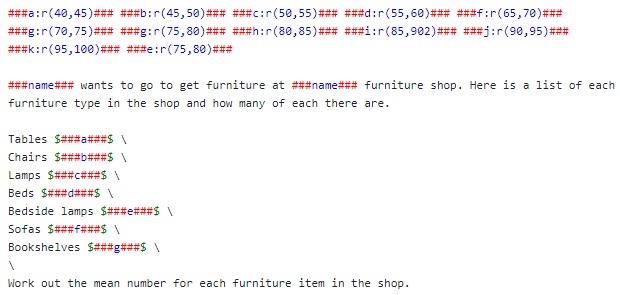
Ah you may have noticed, Markdown is in red, values and variables are in blue, LATEX is in green. This technical decision was implemented to make the syntax more visible, so you would always know if the line of code is recognized by the system as code or not, and so you would always see your code and know if the system recognizes it (and reacts, not just ignores as plain text).
No Comments